About this integration
Source Specification:
Trivec
Target Specification:
Exact Online
Connectivity:
Trivec: Connects securely to your Trivec account using an authorized access token.
Exact Online: Connects securely to your Exact Online account to post journal entries automatically.
Data Frequency & Timing:
By default, the integration runs daily. The integration run time is flexible but always respects the end-of-day settings in your Toast POS environment.
Available Accounting Flows: The difference between a Closed and Consumed accounting flow
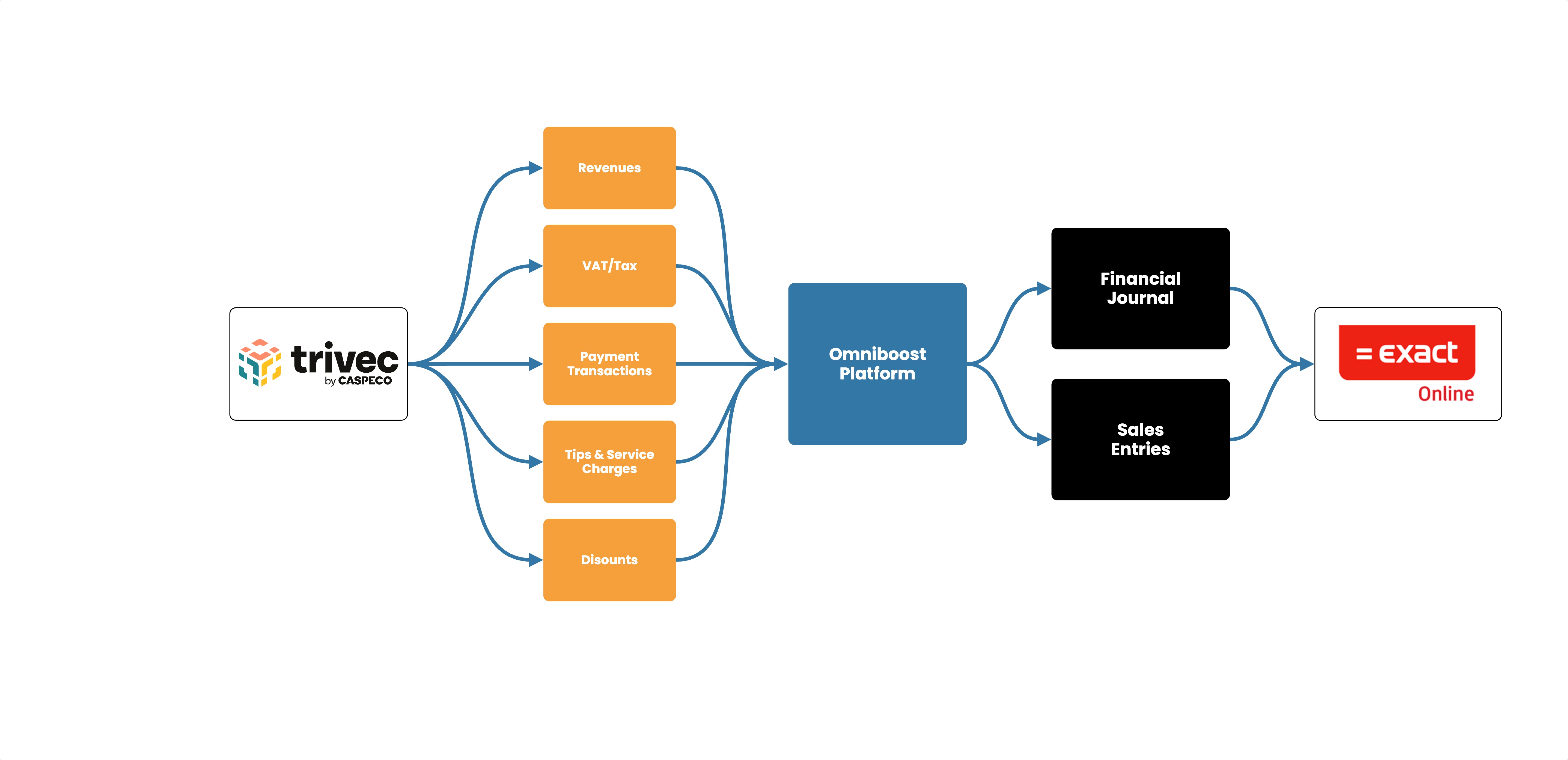
Closed-Accounting Flow (Journal Entries - Cash-based)
Integration Flowchart
About the Omniboost Base Platform
Omniboost Base gives you a single platform to onboard, monitor, and manage all your Omniboost accounting integrations — across all your properties. From reviewing integration status and updating mapping to tracking data runs and resolving errors, everything you need to keep your connections running smoothly is in one place. Learn more here.
Integration features
Feature | |
|---|
API Data transfer
Communicates between the systems via API | Supported |
CSV File Data Transfer
Sends the data file via Email for the client to import into the system | Not Supported |
Rounding Lines
Balances out small differences in the booking | Supported |
Split Tips
Tips are a separated line on the booking sent to the designated ledger code | Supported |
Aggregated data
The data has been converted into a clear basis | Supported |
Mapping per paymode
Paymodes can be split per and posted on seperate ledger accounts | Supported |
Mapping per Product Group
Product groups can be split per and posted on seperate ledger accounts | Supported |
AR Data
Sales entries are available in the booking | Not Supported |
Guest Ledger
The Guest Ledger account serves as a balance account. For outstanding receipts | Not Supported |
Monthly Data Transfer
Data will be sent at every first of the next month | Not Supported |
Weekly Data Tranfer
Data will be sent the first day of the next week | Not Supported |
Daily Data transfer
Data will be sent at a set time every day | Supported |
Fallback
Acts as a safety net for unmapped products | Not Supported |