






























About this integration

Source Specification:
Toast

Target Specification:
Oracle NetSuite

Connectivity:
Source and target systems connect and exchange data automatically via API.

What is posted in NetSuite:

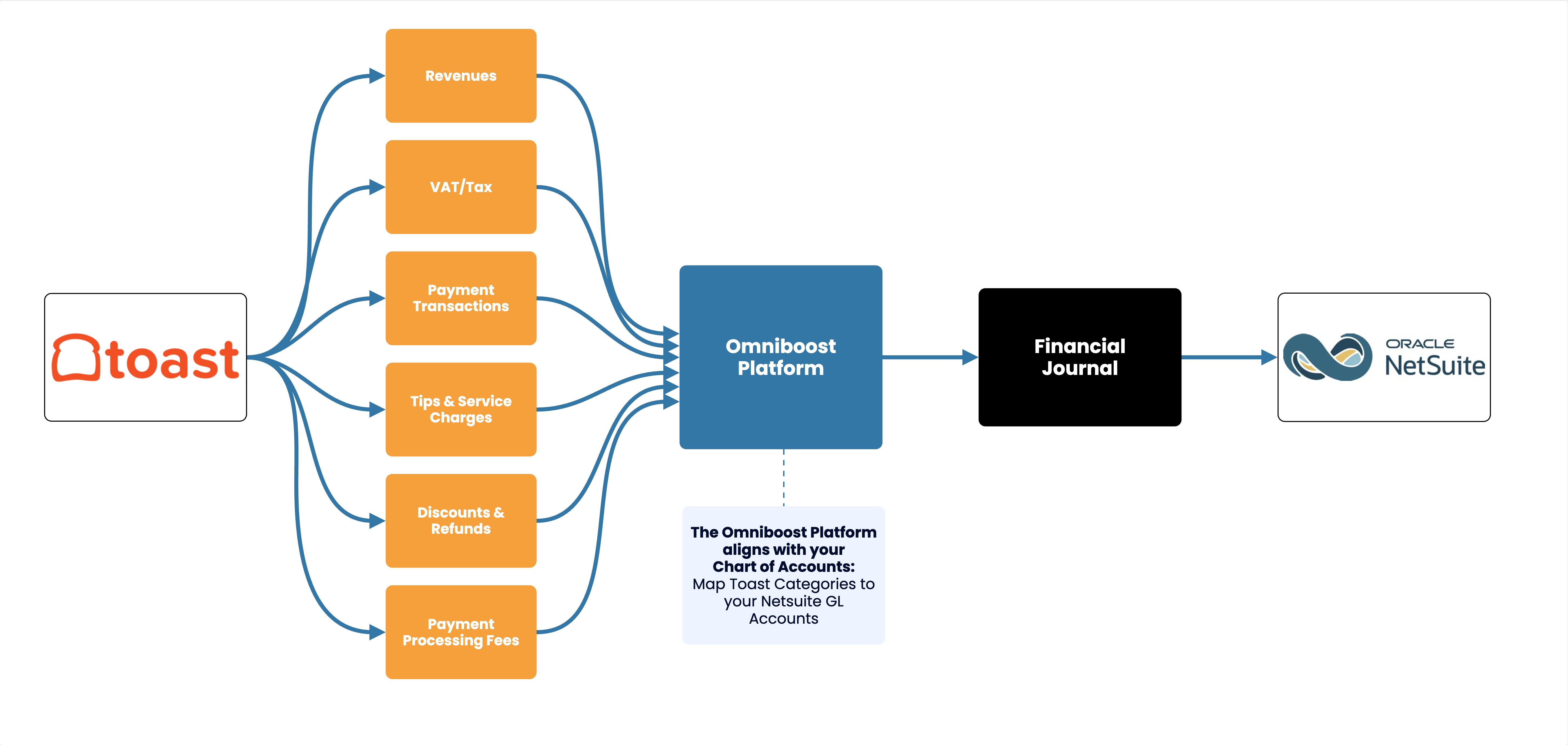
  • Financial Journal: The integration posts a daily Financial journal in NetSuite. This journal contains your restaurant's:

    • Revenues

    • VAT/Tax

    • Payment transactions

    • Tips & service charges

    • Discounts & refunds

    • Payment processing fees

The Omniboost Platform aligns with your Chart of Accounts, mapping Toast categories to your NetSuite GL accounts.

Data Frequency & Timing:
By default, the integration runs daily. The integration run time is flexible but always respects the end-of-day settings in your Toast POS environment, which is typically set to 4:00 am.

Integration Flowchart

About the Omniboost Base Platform
Omniboost Base gives you a single platform to onboard, monitor, and manage all your Omniboost accounting integrations — across all your properties. From reviewing integration status and updating mapping to tracking data runs and resolving errors, everything you need to keep your connections running smoothly is in one place. Learn more here.

Pricing

A single annual fee provides complete coverage for the integration. Your subscription includes:

  • Daily, automated posting of your financial journals straight into NetSuite

  • Full access to Omniboost's BASE platform, giving you insight into how your integration is performing

  • Support & service from the Omniboost team

Integration

EUR

GBP

USD

Toast POS to NetSuite

€42.50/mo

£42.50/mo

$50/mo

Pricing shown is per month, invoiced annually.

Onboarding Process

Before You Start: Before you start onboarding, you must complete your Toast setup. You can't configure or activate the integration until you complete this step. 

  1. Request the integration
    After completing your Toast setup, request the integration via the button at the bottom of the page. 
  2. Confirm your subscription
    The Omniboost team will reach out with a subscription agreement for your review and approval.
  3. Complete onboarding
    Please complete the guided steps in “Base” and submit all required information promptly, as delays directly affect how much historical data we can include.
  4. Review and go-live
    Omniboost reviews your configuration, performs validation, and activates the integration. Data will not flow until Omniboost sets the integration live.


Before Omniboost, we spent around 30 minutes every day consolidating and posting transactions manually, which carried a risk of errors and delayed visibility. With Omniboost, the transfer is now automatic and direct, making daily revenue management much easier. The process is straightforward, and the support team works seamlessly with us, giving us confidence in our data from day to day.

Carlos Garcia
Controller & IT Manager, Wyndham Garden Miami International Airport

Looking for this Solution?

We are happy to help you with your integration, just fill out the form and we will contact you about the possibilities.

Request this integration