About this integration
Source Specification:
Lightspeed K-Series
Target Specification:
AFAS Profit
Connectivity:
Lightspeed K-Series: Connects securely to your Lightspeed point-of-sale system to automatically retrieve data.
AFAS Profit: Uses the AFAS Profit API to securely and automatically post data.
Data Frequency & Timing:
By default, the integration runs daily. The integration run time is flexible but always respects the end-of-day settings in your Lightspeed POS environment.
Available Accounting Flows: Closed Accounting Flow
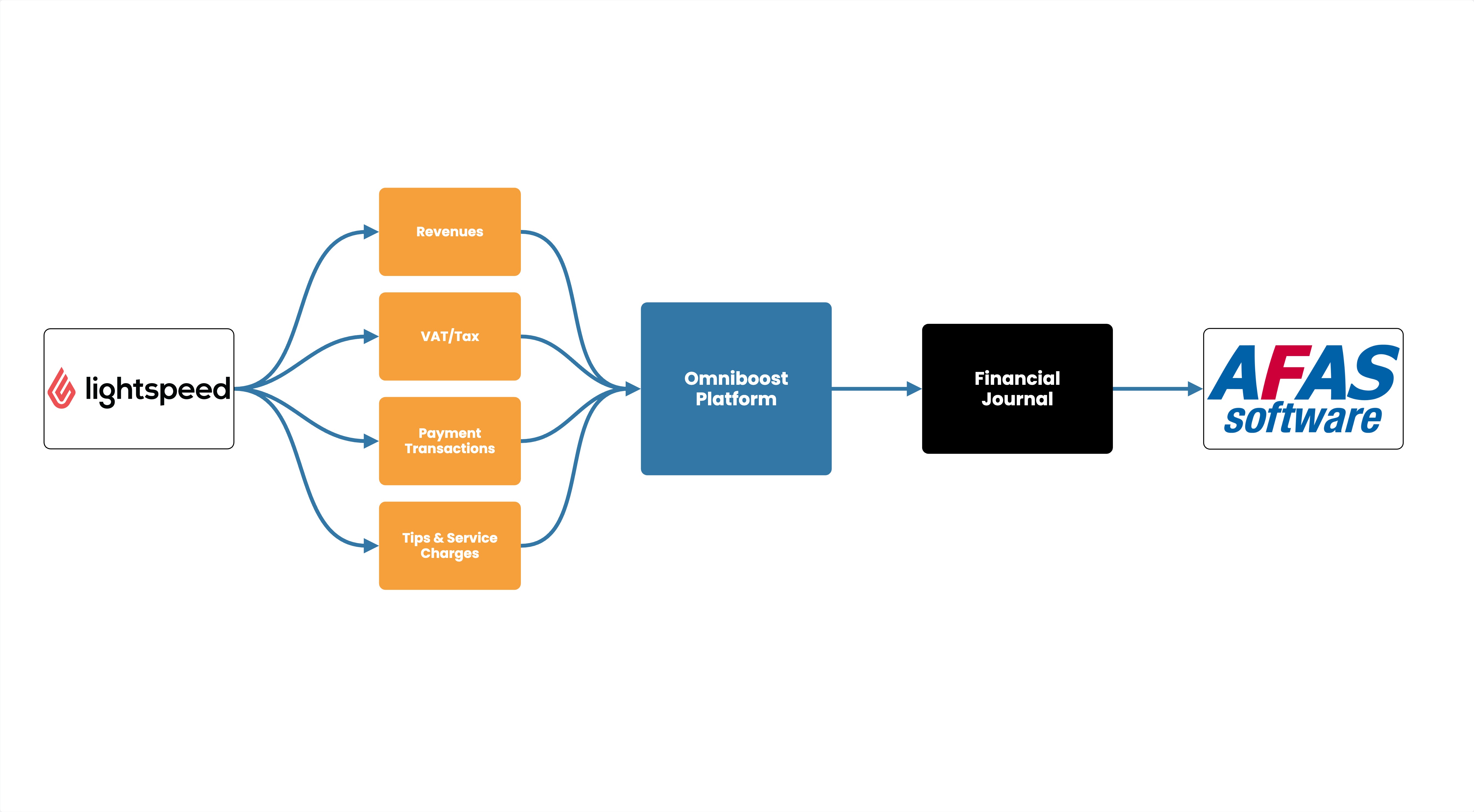
Integration Flowchart
About the Omniboost Base Platform
Omniboost Base gives you a single platform to onboard, monitor, and manage all your Omniboost accounting integrations — across all your properties. From reviewing integration status and updating mapping to tracking data runs and resolving errors, everything you need to keep your connections running smoothly is in one place. Learn more here.
Integration features
Features | Closed Accounting Flow |
|---|
Manual Journal Entry
Posts your daily sales journal in AFAS. | Supported |
Sales Entries
Books invoice-paid sales as separate entries. | Not Supported |
VAT/TAX Breakdown
Shows VAT separately per rate on the journal. | Supported |
Revenue Mapping
Links your sales categories to your revenue accounts. | Supported |
Payment Mapping
Links your payment methods to your AFAS accounts. | Supported |
Cost Centers
Adds cost centre details to journal lines. | Supported |
Discount (Mapping)
Shows discounts as separate lines on the journal. | Not Supported |
Refunds
Sends sales net of refunds. | Supported |
Tip (Allocating to separate ledger)
Books tips to a separate account. | Supported |
Service Charges
Books service charges separately. | Not Supported |
Rounding Account
Books small rounding differences to a rounding account. | Supported |
Surcharges
Books surcharges separately. | Not Supported |
Journal Description
Lets you set the description shown on journal entries. | Supported |
Please note: Features and flowchart may vary depending on the setup of the target and source systems, and the accounting flow applied. Not all features in the Omniboost Base Platform are supported for all integrations.