





























About this integration

Automate your Norwegian statistics reporting

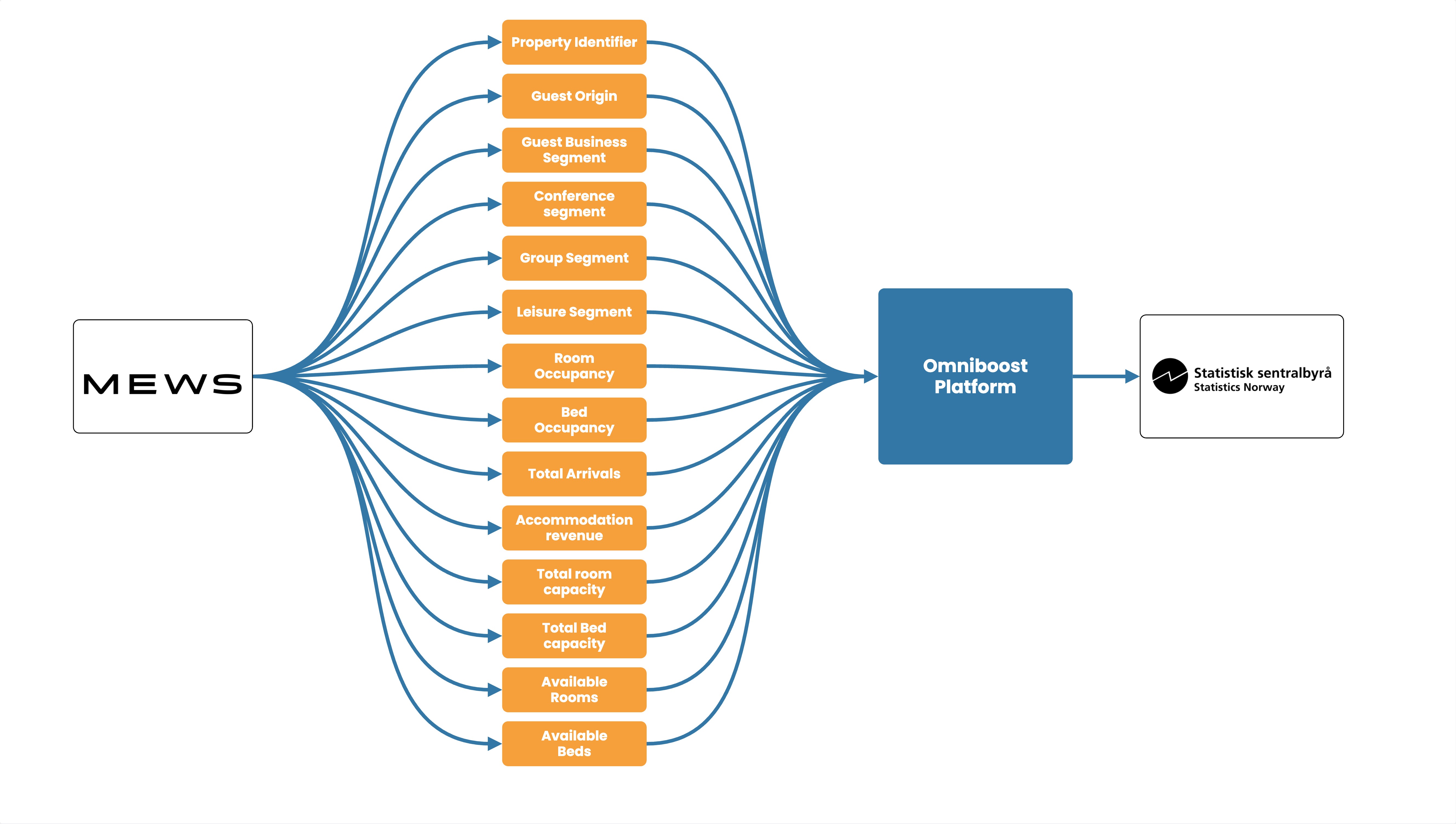
Hotels in Norway are required to provide accommodation statistics, including information on guest nights, capacity, and occupancy, as part of Norway’s official tourism statistics. Instead of manually collecting, checking, and submitting this information every month, automate the process directly from your Mews PMS.

Omniboost extracts the required data, validates and formats it according to the reporting requirements, and submits it automatically, saving your team time, reducing the risk of errors, and ensuring your statistics reporting is completed accurately and on time.

Source Specification:
Mews

Target Specification:
Statistics Norway (SSB - Statistisk Sentralbyrå)

Availability:
Available for properties in Norway

Connectivity:
Source and target systems connect and exchange data automatically via API.

Data Frequency & Timing:
Monthly automated submission of the required Statistics Norway data fields, extracted directly from your PMS, validated, correctly formatted, and delivered on time without any manual effort.

Integration Flowchart

About the Omniboost Base Platform
Omniboost Base gives you a single platform to onboard, monitor, and manage all your Omniboost accounting integrations across all your properties. From reviewing integration status and updating mapping to tracking data runs and resolving errors, everything you need to keep your connections running smoothly is in one place. Learn more here.

Onboarding Process

Before You Start: Before you start onboarding, you must complete your Mews setup. You can't configure or activate the integration until you complete this step. 

  1. Request the integration
    After completing your Mews setup, please go to the Mews marketplace within your Mews PMS environment. You will receive an invitation within minutes to Base, the Omniboost integration platform. 
  2. Confirm your subscription
    The Omniboost team will reach out with a subscription agreement for your review and approval.
  3. Complete onboarding
    Please complete the guided steps in “Base” and submit all required information promptly, as delays directly affect how much historical data we can include.
  4. Review and go-live
    Omniboost reviews your configuration, performs validation, and activates the integration. Data will not flow until Omniboost sets the integration live.

Looking for this Solution?

We are happy to help you with your integration, just fill out the form and we will contact you about the possibilities.

Request this integration