About this integration
Automate your Danish statistics reporting
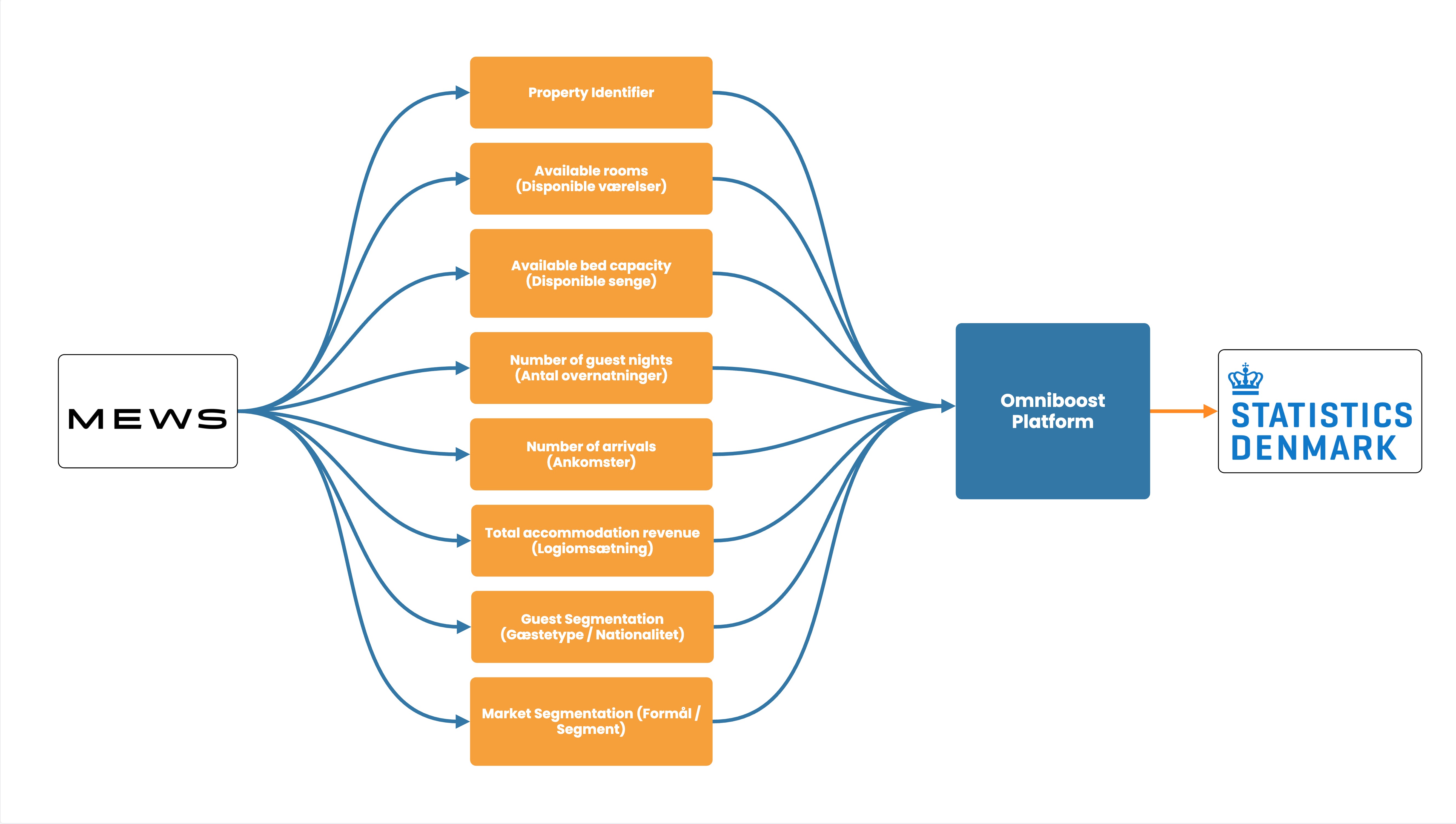
Hotels in Denmark are required to provide accommodation statistics, including information on guest nights, capacity, and occupancy, as part of Denmark’s official tourism statistics. Instead of manually collecting, checking, and submitting this information every month, automate the process directly from your Mews PMS.
Omniboost extracts the required data, validates and formats it according to the reporting requirements, and submits it automatically, saving your team time, reducing the risk of errors, and ensuring your statistics reporting is completed accurately and on time.
Source Specification:
Mews
Target Specification:
Statistics Denmark (Danmarks Statistik)
Availability:
The Statistics Denmark integration is designed exclusively for hotels and aligns with Danish legal reporting obligations for accommodation providers.
Not supported:
Connectivity:
Source and target systems connect and exchange data automatically via API.
Data Frequency & Timing:
Monthly automated submission of the required Statistics Denmark data fields, extracted directly from your PMS, validated, correctly formatted, and delivered on time without any manual effort.
Authorization & Requirements:
Omniboost is certified by Danmarks Statistik to use their API. Data structure follows Danmarks Statistik’s monthly reporting requirements and ensures consistency with official tourism statistics (turismestatistik)
Integration Flowchart
About the Omniboost Base Platform
Omniboost Base gives you a single platform to onboard, monitor, and manage all your Omniboost accounting integrations across all your properties. From reviewing integration status and updating mapping to tracking data runs and resolving errors, everything you need to keep your connections running smoothly is in one place. Learn more here.